Summary
To debug AI agents, start from the run, not the answer. Open the run that went wrong, find the round where it went off track, and read what the tool was asked for and what came back. That tells you whether the cause is the instructions, a tool or the data. Fix that one thing, run the agent again and compare the two runs. This guide walks through each step in Arclyx.
Key Takeaways
- The answer hides the bug; the run shows it. A wrong answer reads like a right one. Every round, tool call and result is where the cause actually shows.
- Find the first bad round. Rounds after it are usually the agent working with something already wrong.
- Sort the cause into one of three. The instructions (it did what it was told, which was wrong), the tools (a call failed or needs a reconnect) or the data (the input wasn't what you expected).
- Change one thing, then compare. Fix in plain words with Improve, or reconnect the tool, then Run it now and read the new run against the old one.
- Let failures come to you. Needs you on Home flags a run that stopped short, and a schedule that fails five times in a row pauses itself.
- A trace needs inputs, not just steps. OpenTelemetry's conventions for AI agents record the tool, its arguments and its result for each call 2.
How do you know an AI agent went wrong?
You find out one of three ways: the agent tells you, its numbers drift, or someone reads a bad result. In Arclyx, a run that stops short shows the agent as Needs you on your home page, and so does a broken connection. Runs that finish but take far longer or cost far more stand out on the agent's run-history chart.
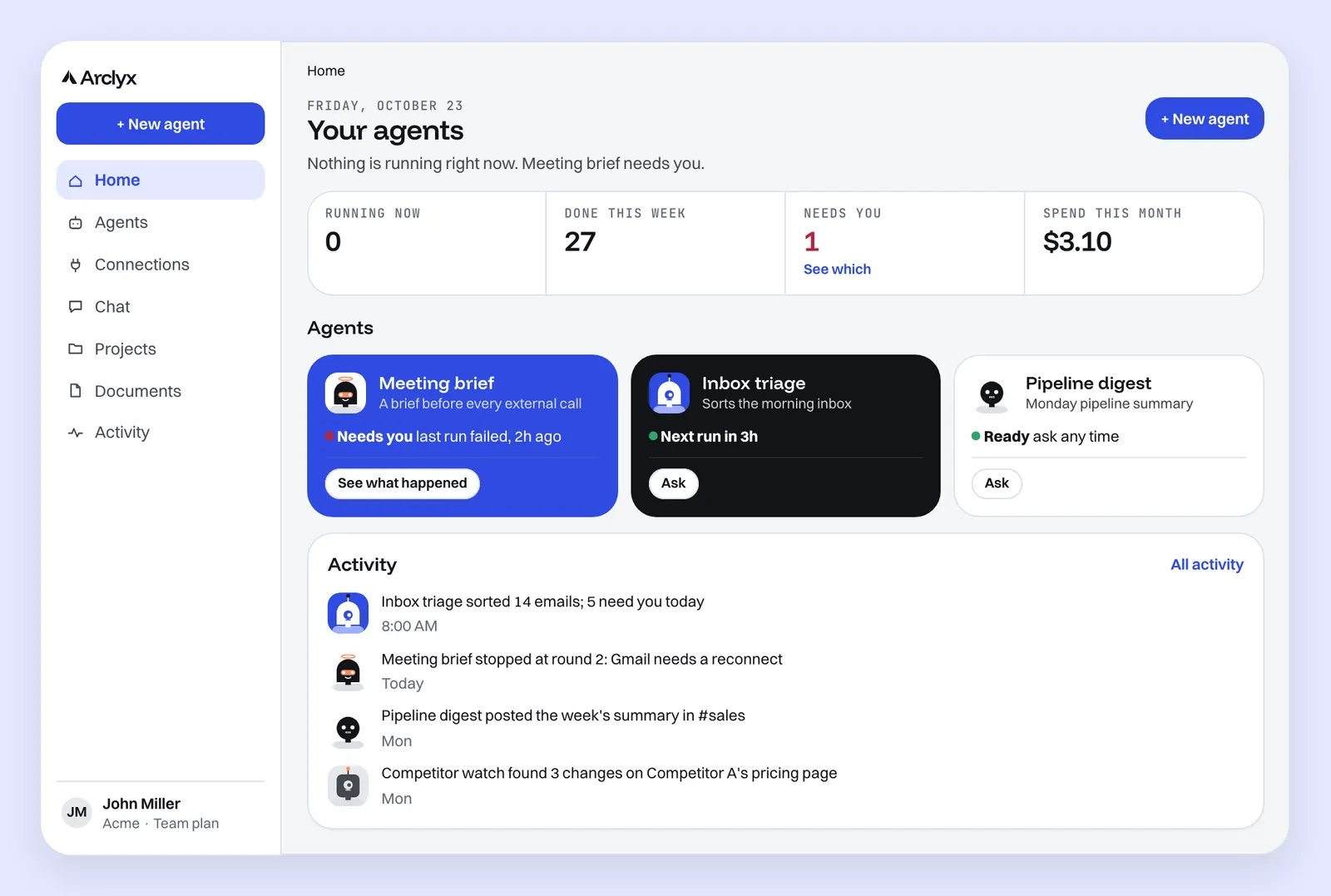
The third way is the hard one. A run can finish as Done and still be wrong: it searched the wrong week, missed half the inbox or summarised the wrong file. Nothing flags that, so read a finished run's result now and then, not only the failed ones. Each run's page lists what it produced: every Slack post, email and connector write it sent, with the full text, and any delivery that failed. Anthropic's advice for agents is to make the agent's steps visible for exactly this reason 1.
Where do you start debugging an agent run?
Start on the run's own page. Every Arclyx run has one: what happened in one sentence, the numbers (how long it took, its rounds, tool calls, tokens and price on paid plans), then every round in order. On the agent's page, See what happened beside Needs you opens the run behind the flag, and the start time on any row of Recent runs opens that run.
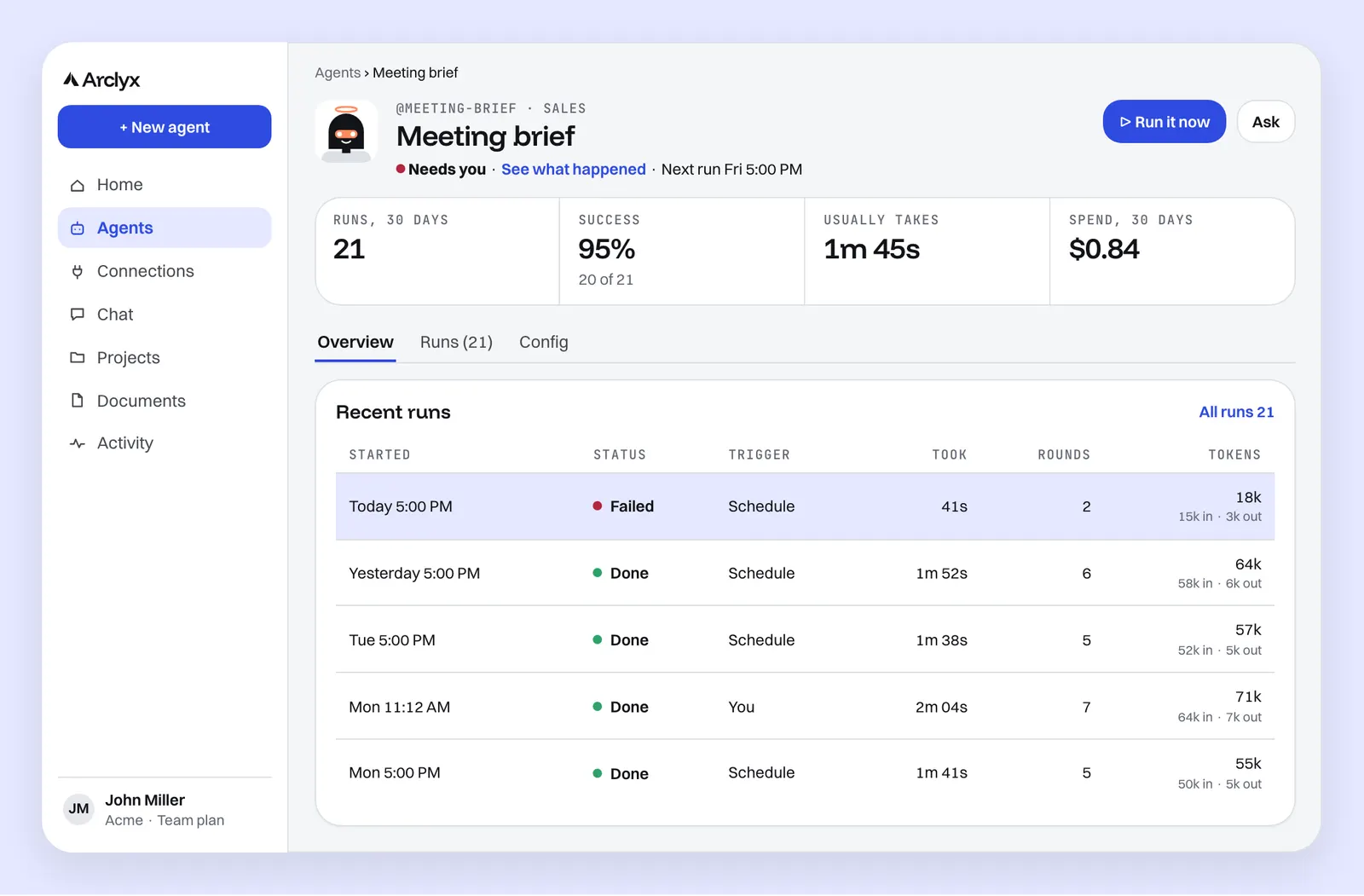
Before opening anything, read the runs table. Its columns are when the run started, its status, what triggered it, how long it took, its rounds and tokens, plus the price on paid plans. Patterns show here first:
- One failure among good runs usually means a one-off: a connection that expired, an input that was different that day.
- Every run failing since a date usually means something changed: the instructions, a tool or the system it reads.
- Rounds or tokens creeping up means the agent is working harder for the same job, often because its input grew.
How do you find the round where it went off track?
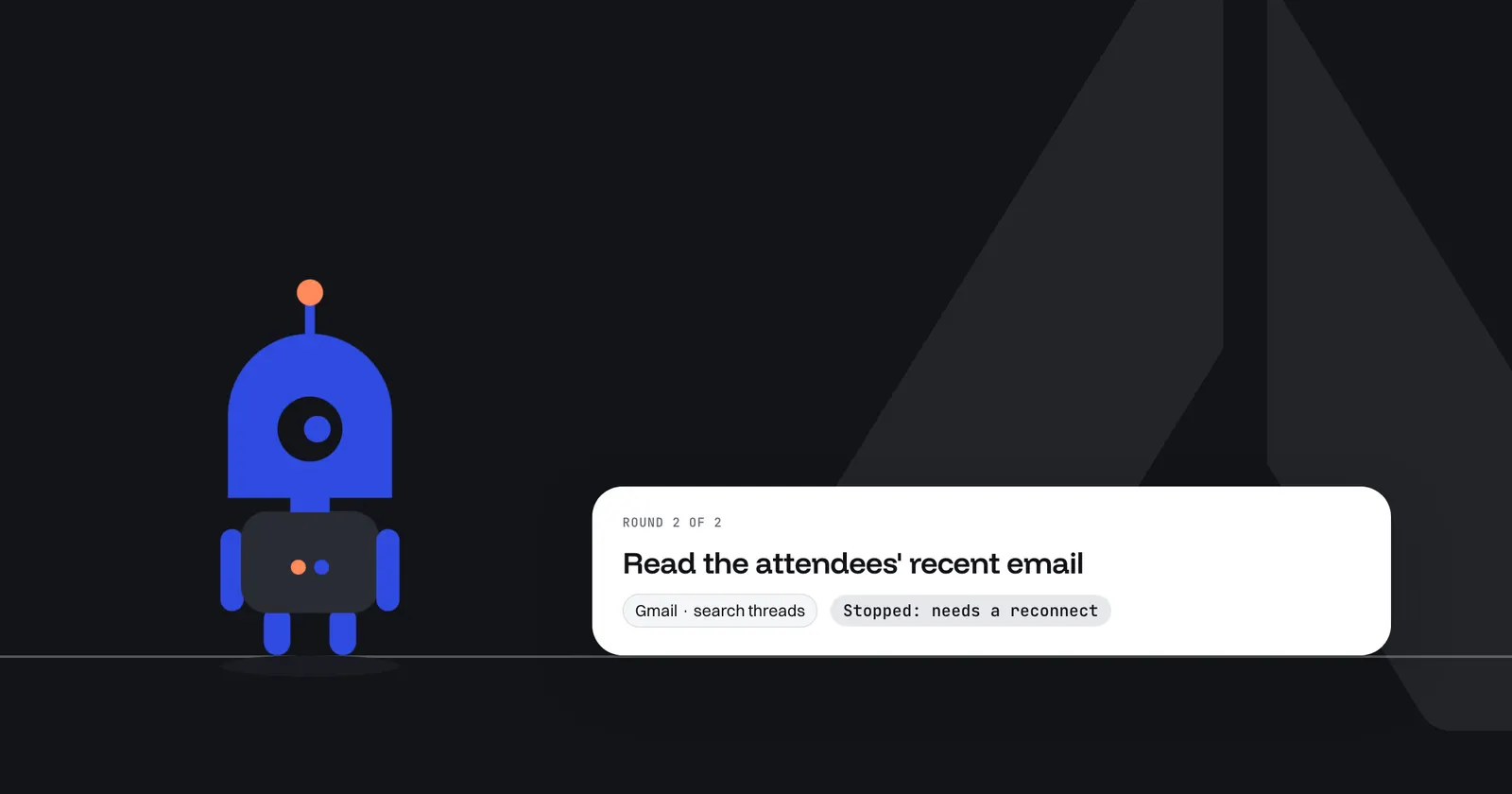
Read the rounds in order and stop at the first one that looks wrong. Each round shows what the agent decided, the tool it used, what it asked for and what came back. The first bad round is where the cause is; everything after it is the agent carrying on with a mistake already made.
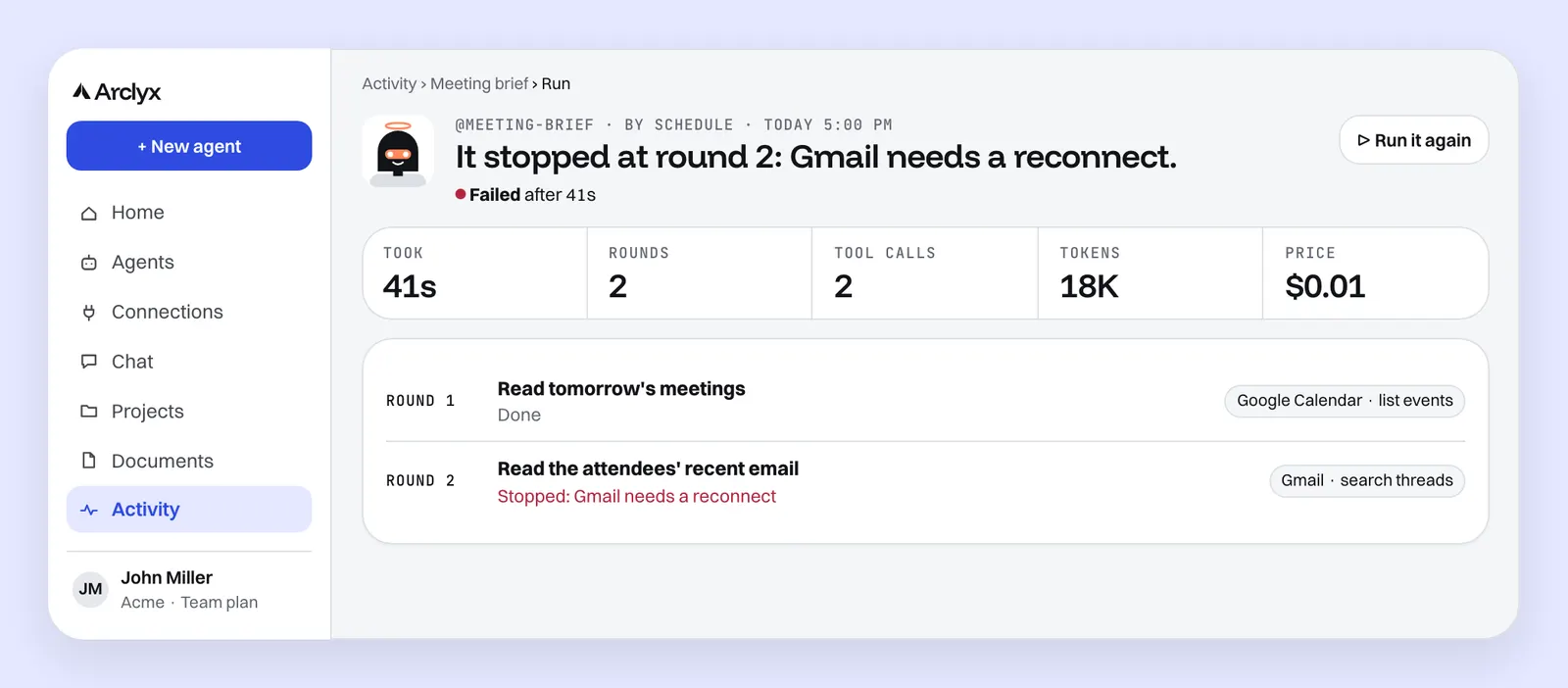
What a bad round looks like:
| What you see in the round | What it usually means |
|---|---|
| Stopped, with a reason such as a reconnect | A tool's sign-in expired or was revoked |
| A search with the wrong filter or time window | The instructions left the window unclear |
| A tool call that came back empty | Wrong input, or nothing there to find |
| The same search again and again | The agent can't tell when it's done |
| A result it read but then ignored | The instructions didn't say what matters |
| A reply cut off at its length limit, its tool calls not run | The reply limit is too low for this job |
| Stopped at its spend ceiling | The run needed more than its ceiling allowed |
A reply cut off at its limit runs none of its tool calls, because a cut-off call can't be trusted. The agent is asked to try again with smaller ones, and after two cut-offs in a row the run stops. Raise Longest reply on the agent's Config tab if its job needs long output. For a run that stopped at its ceiling, our guide to AI agent cost control covers how to set one from real runs.
If the agent handed work to helpers, their runs are recorded too, with the brief each one was given. A bad result from a helper often starts in that brief.
Is it the instructions, the tools or the data?
Almost every agent failure is one of these three. If the agent did exactly what its instructions said and the result is wrong, it's the instructions. If a tool call failed or returned an error, it's the tool. If the instructions and the tool worked but the input was unusual, it's the data. Each has a different fix.
| Cause | The sign in the run | The fix |
|---|---|---|
| Instructions | It followed them, and they were wrong or vague | Say what should change, in plain words, with Improve |
| Tool | A call failed, or the round stopped for a sign-in | Reconnect the tool, or give the agent the one it needs |
| Data | Steps and tools fine; the input was not what you expected | Add the case to the instructions: what to do when it happens |
Data problems turn into instruction fixes more often than not. An empty inbox, a meeting with no outside guests or a file in a new format is a case the instructions never covered. Our guide to AI agent instructions has a section on edge cases. For tools, the AI agent integrations page covers how each connection signs in.
How do you fix it and prove the fix?
Change one thing, then run the agent again and compare. In Arclyx, open the agent's Config tab and press Improve to say what should change; Arclyx rewrites the instructions and leaves the tools and name as they are. For a tool, reconnect it. Then press Run it now and read the new run against the failed one.
Run it now is a real run: it uses your real tools, posts and sends for real, and counts toward your usage. That's what you want for a fix to a live agent, because it proves the fix on the same tools the schedule will use. To try a risky change first, describe it as a new draft and use Try it. That's a dry run: it reads with your real tools, GitHub and HubSpot reads included, and holds anything it would post, send or write. The test runs page covers the difference.
When you compare, check three things:
- The round that failed now does the right thing.
- The rounds after it didn't change in ways you didn't ask for.
- The numbers (rounds, tokens, time) are close to a good run's, not a failed one's.
How do you catch the next failure early?
Let Arclyx bring failures to you, then make each one count once. Needs you on Home flags any agent whose last run stopped short until you look. A schedule that fails five times in a row pauses itself, so a broken job doesn't fail quietly forever. Once you've dealt with a run, Dismiss tells the agent to stop asking about it.
Three habits help:
- Look at the run-history chart on an agent's page now and then. It shows every run as a dot by duration, tokens or price, and a dot far from the rest is worth opening.
- Ask about the week. On the Activity page, Ask Arclyx offers "Which runs failed this week?" and on an agent's page "Why did its last run fail?" Our post on Ask Arclyx, the context-aware AI assistant, shows what it answers from.
- Watch for drift, not just failure. A run that slowly takes more rounds is heading for its round limit.
The AI agent observability page shows everything Arclyx records for each run.
What does an AI agent trace need to record?
A useful AI agent trace records every step between the request and the answer: what the agent decided in each round, each tool call with what it asked for and what came back, the tokens for each model call, and any handoff to a helper. Without the inputs and results, a trace tells you a step happened, not why it went wrong.
OpenTelemetry, the open standard for traces, is writing the same idea down for AI agents. Its draft conventions name a span for invoking an agent and one for executing a tool, with the tool's name, its call arguments and its result as attributes, plus token counts for each call 2 3. They are still marked Development, so names may change. If you build your own agents, those conventions are a good checklist. If you run them in Arclyx, each of those is recorded for every run with nothing to set up. Our post on AI agent monitoring goes deeper on traces and evaluation in production.
Sources
- Anthropic — Building effective agents (19 December 2024), "Summary" and "Agents". https://www.anthropic.com/research/building-effective-agents
- OpenTelemetry — Semantic conventions for generative client AI spans, "Execute tool span" (Status: Development; checked 23 October 2026). https://github.com/open-telemetry/semantic-conventions-genai/blob/main/docs/gen-ai/gen-ai-spans.md
- OpenTelemetry — Semantic conventions for GenAI agent and framework spans, "Invoke agent" spans (Status: Development; checked 23 October 2026). https://github.com/open-telemetry/semantic-conventions-genai/blob/main/docs/gen-ai/gen-ai-agent-spans.md