Summary
AI agents for small business earn their place on the jobs that come back every week and never get done properly: checking tender portals, writing the blog, closing the month. This guide takes three of those jobs and shows the Arclyx agent that does each one, what it hands back, what it never does, how cost works, and which decisions to keep for yourself.
Key Takeaways
- Start with a job that repeats. Weekly or monthly work with a result you can check beats a one-off question.
- Find tenders without checking portals. RFP finder searches the portals you name and posts the fits, each with a link to the notice.
- Get a cited first draft. Blog drafter writes a draft with a source for every number and saves it as a new Google Doc. It never publishes.
- Close the month with checked numbers. Finance desk builds a 30-day cash outlook from your tables and lists the invoices to chase. It never pays.
- Cost follows use. Every run counts toward your plan's limits, and paid plans add a ceiling per run.
- Keep the decisions. Whether to bid, publish or pay stays with you.
What can AI agents do for a small business?
An AI agent does a recurring job with your tools and reports back. It searches, reads, checks and writes, then sends the result to you or to one Slack channel. For a small business, that means the work that slips when everyone is busy: watching tender portals, drafting the blog, closing the month, sorting the inbox.
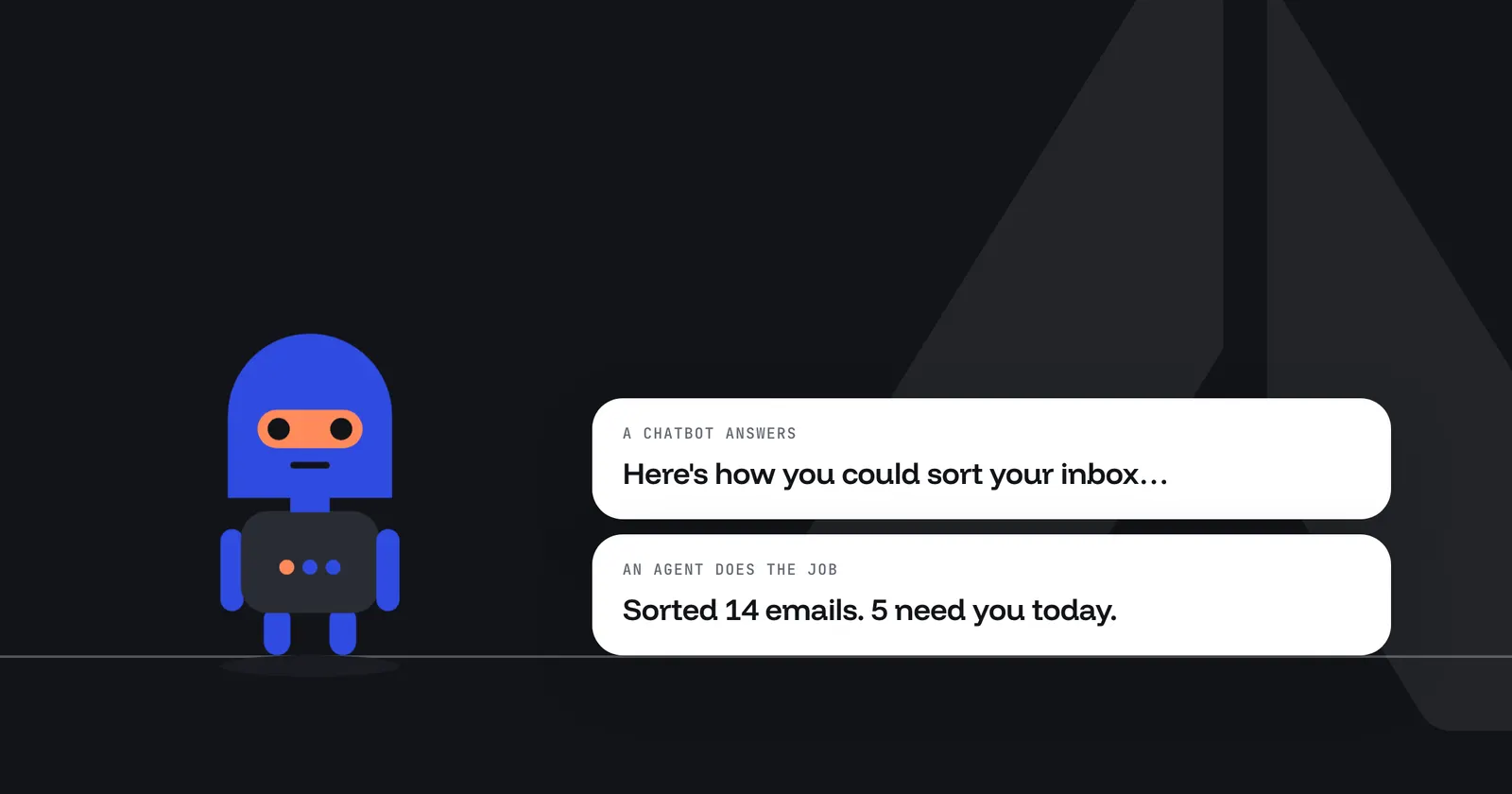
An agent isn't a chatbot on your website. Arclyx agents don't talk to your customers or answer the phone; they work in the background on your own accounts and report to you.
In Arclyx you describe the job in one sentence and Arclyx drafts the agent: its instructions, the tools it may use, and a schedule if you name one. You don't write code.
Which jobs should a small business hand to an agent first?
Start with a job that repeats on a schedule, has a result you can check, and mostly reads rather than writes. Those are cheap to test and easy to judge. Anthropic's advice for building agents applies to a small team too: find "the simplest solution possible", and only add complexity when it's needed 1.
A quick test for any job you're thinking of handing over:
- It repeats. Every Monday, every month end, every morning. A job you do once isn't worth setting up.
- The result can be checked. A list with links, a draft with sources, numbers against your tables.
- It reads more than it writes. Searching portals and reading notices is safe to hand over; paying a supplier isn't.
- It ends with one message. The agent delivers to you or one channel, and you decide what happens next.
Here are jobs that pass, each done by a ready-made Arclyx agent.
| The job | The agent | What you get |
|---|---|---|
| Checking tender portals | RFP finder | Weekly fits, each with why it fits and the risk |
| Drafting the blog | Blog drafter | A cited draft in a new Google Doc |
| Closing the month | Finance desk | One checked summary with three decisions |
| Sorting the morning inbox | Inbox triage | What needs a reply, what can wait |
| Preparing for meetings | Meeting brief | A cited brief for each outside meeting |
| Watching competitors | Competitor watch | What changed this week, with sources |
A small business rarely has a team per function, so the team pages are a quick way to see which agents fit together: AI agents for sales teams (RFP finder, Meeting brief), AI agents for marketing teams (Blog drafter, Competitor watch), AI agents for finance and accounting (Finance desk) and AI agents for operations and HR (Inbox triage). None of these agents needs an HR system, a finance platform or a data team to start.
The next three sections take the first three jobs in turn.
How do you find government contracts without checking portals every day?
Write down what you bid on, list the procurement portals your buyers use, and have an agent search them every week. In the US, federal notices are on SAM.gov, which anyone can search 2; in Canada, federal tenders are on CanadaBuys 3. Provincial, state and city buyers often post on their own portals.
Checking them by hand is the job that slips. RFP finder does it from one sentence like this:
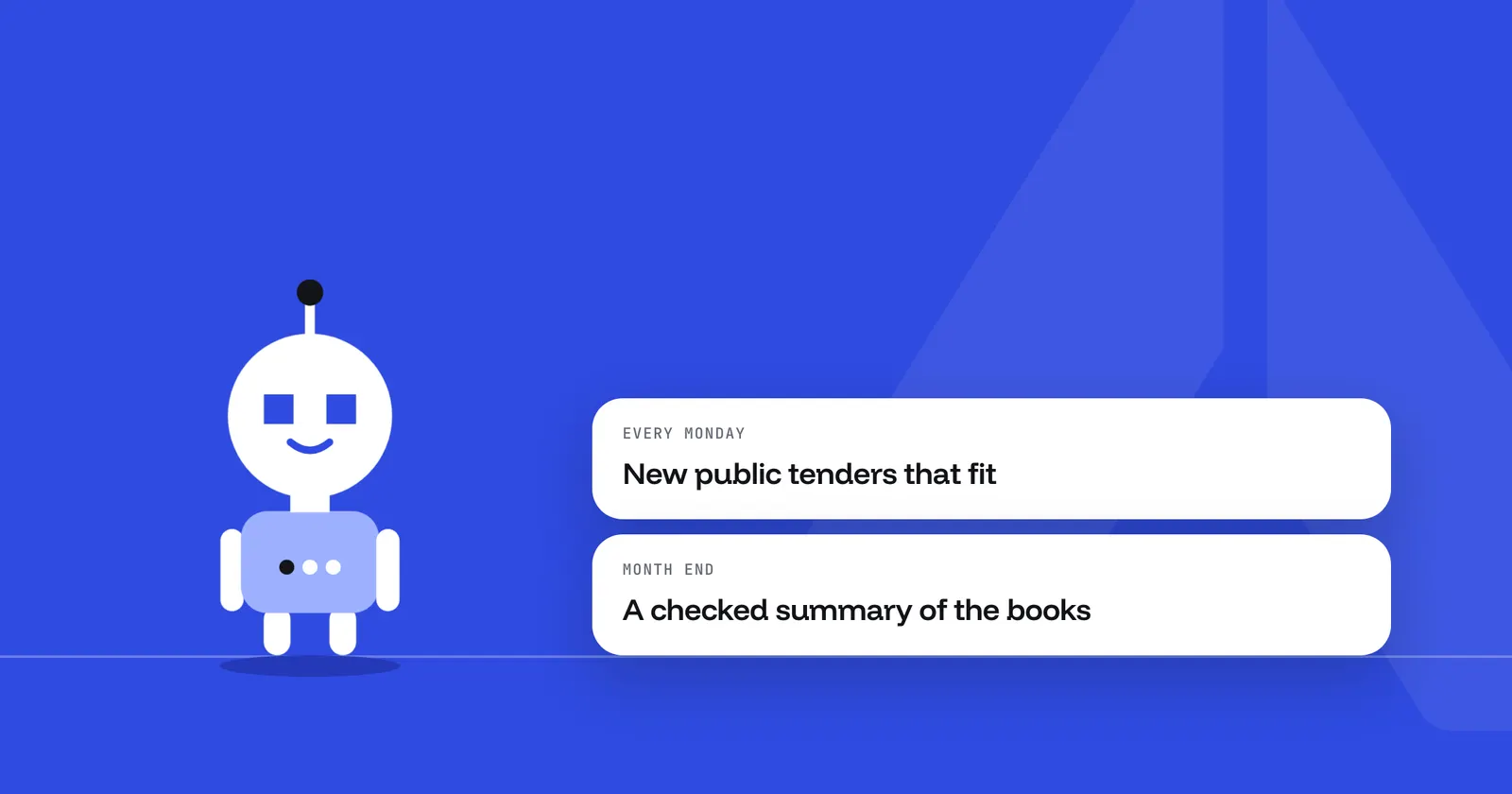
Every Monday at 7, search CanadaBuys, MERX, BC Bid and our city portals for software, AI and data tenders posted in the last 7 days, check each notice against our RFP profile, and post the fits to #bids.
Each run, it reads your RFP profile, a document with your scope, value range and exclusions. It searches each portal for each area you bid on, opens every notice to check the buyer, closing date and value, and posts a ranked list. Each fit gets one line on why it fits and one on the risk.
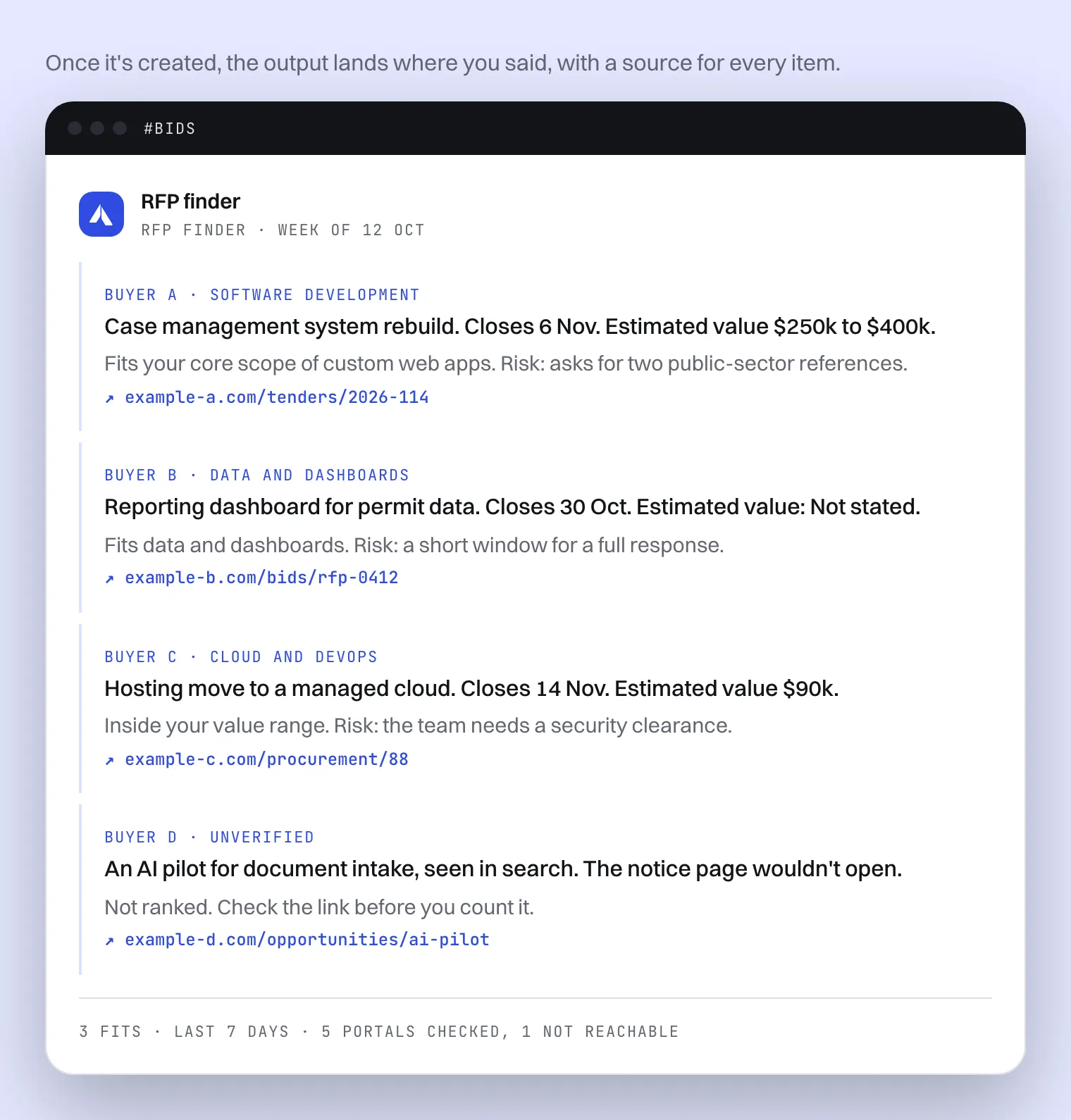
What it doesn't do matters as much. It never logs in to a portal, so notices behind a sign-in are out of reach, and the message says which portals it couldn't reach. It doesn't write or submit bids. A value the notice doesn't state shows as "Not stated" rather than a guess. Whether to bid stays with you.
Can an agent draft your blog posts?
Yes, as a first draft that a person reviews. Blog drafter reads your content brief, researches the topic on the web, and writes a draft with a direct answer first, question headings, a short FAQ and a source for every number. It saves the draft as a new Google Doc and sends you the link.
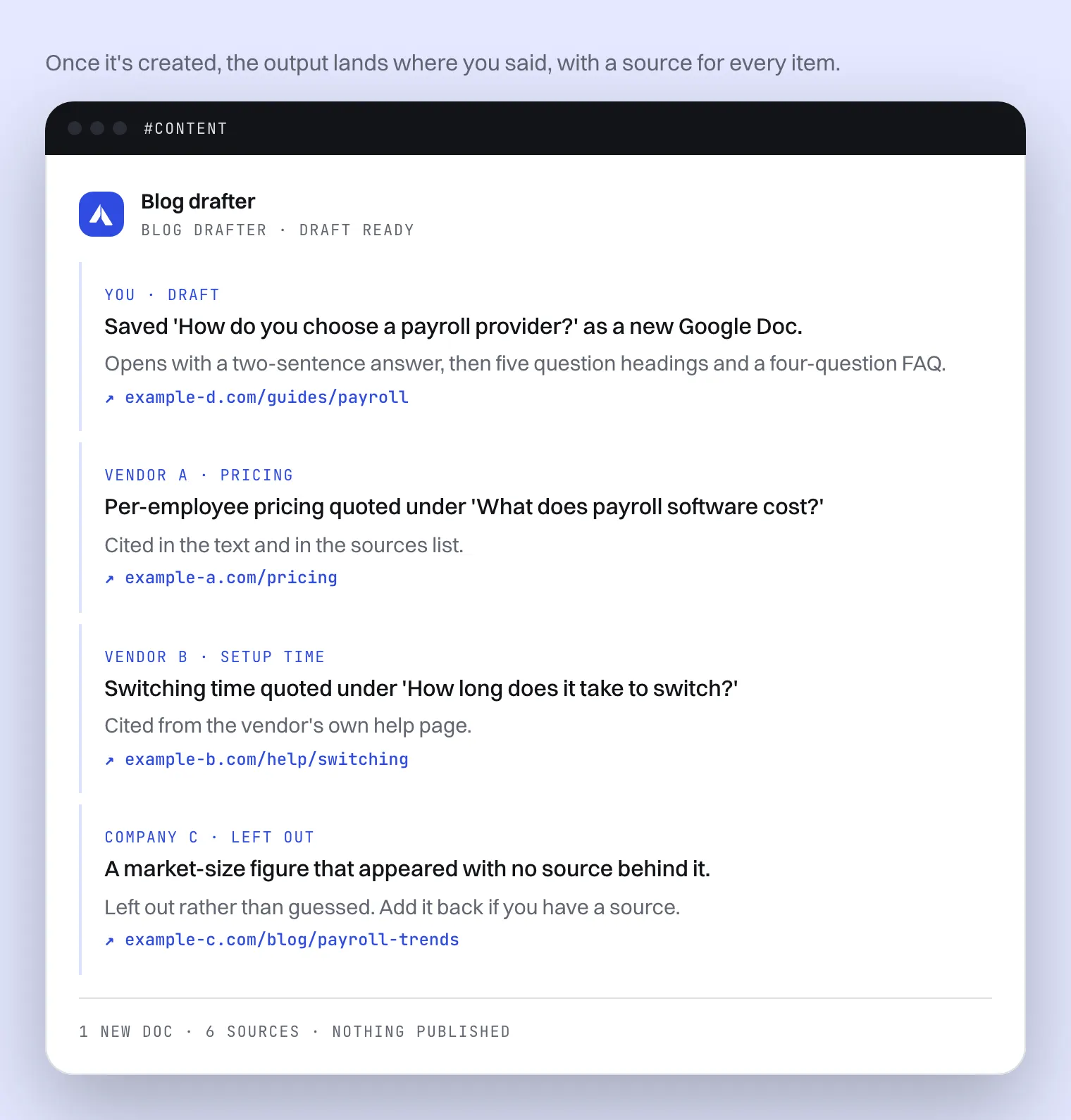
The useful part for a small team is the sourcing. Every number in the draft comes from a page the agent opened and read, and a number it can't trace is left out rather than guessed. The sources are listed at the end of the doc and in the message.
It can't publish. It has no access to your blog, CMS or social accounts. Each run creates one new Google Doc and never edits, overwrites or shares an existing file, so a person always reviews and publishes.
Can an agent help close the month?
Yes, by doing the checking and reporting, not the paying. Finance desk runs on the 2nd of each month: it hands the bank reconciliation and the KPIs to two helper agents, builds a 30-day cash outlook from your tables, checks the key numbers, and posts one summary with three decisions.
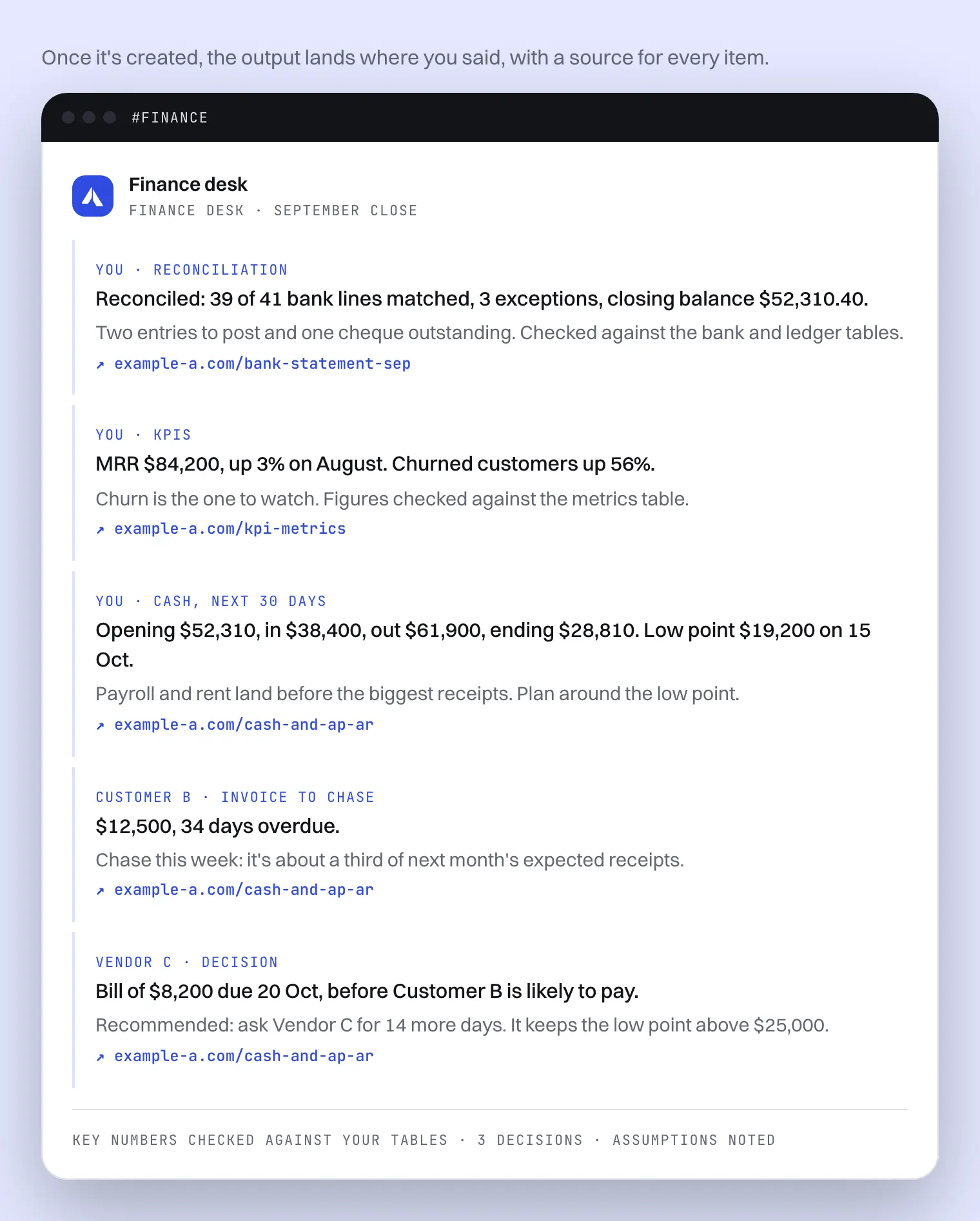
It suits a founder who does the books or a finance team of one. It works from CSV exports uploaded as tables, so there's no accounting integration to set up first. The two helpers are agents of their own, Bank reconciler and KPI reporter, which you add on Finance desk's page. Helpers work on paid plans, not on Free.
It lists the invoices to chase and the bills to pay, with the party, the amount and the dates. It doesn't pay bills, send invoices or change your ledger. It reads your tables and sends one summary.
What does it cost a small business to run agents?
Cost follows use. Each run spends model tokens, so a weekly agent costs less than a daily one, and a short job less than a long one. Every run is checked against your plan's limits before it starts. On paid plans you can also give each agent a ceiling per run and a monthly cap.
A few things that help a small budget:
- Start on the Free plan. Its daily and monthly limits stop new runs once they're reached, so trying agents out stays within the allowance.
- Watch the first runs. On paid plans every run shows its price and a line for each model call; on Free it shows tokens. Settings → Your usage shows the last 30 days.
- Mind other services' credits. An agent that searches Apollo, for example, uses your Apollo credits as well.
- A dry run counts too. Try it uses your real tools, so it counts toward your usage like any run.
Our guide to AI agent cost control covers each limit, where to see spend by agent, and what drives the bill in the first place.
What should a small business never hand to an agent?
Keep the decisions and anything that moves money, signs you up or speaks for you to a customer. Agents are good at finding, reading, checking and drafting. Whether to bid, what to publish, whom to pay and what to tell a client stay with a person, and Arclyx is built to hand those back to you.
Some of that is enforced, not just advised:
- Email: the email an agent sends goes only to the person it runs for, and in Gmail and Outlook it writes drafts for you to review and send.
- Slack: it posts only to the one channel you picked; the model can't choose another.
- Websites: agents read public pages but don't log in to sites or fill in forms.
- Tools: an agent only uses the tools you granted it, through your own sign-in.
Anthropic also recommends testing agents in a safe setting before trusting them, with the right guardrails in place 1. In Arclyx that's Try it, a dry run that holds anything the agent would send and shows it to you instead. The AI agent guardrails page lists every limit.
Sources
- Anthropic — Building effective agents (19 December 2024). https://www.anthropic.com/research/building-effective-agents
- SAM.gov — Contract Opportunities (checked 23 October 2026). https://sam.gov/opportunities
- CanadaBuys — Tender opportunities (checked 23 October 2026). https://canadabuys.canada.ca/en/tender-opportunities