Summary
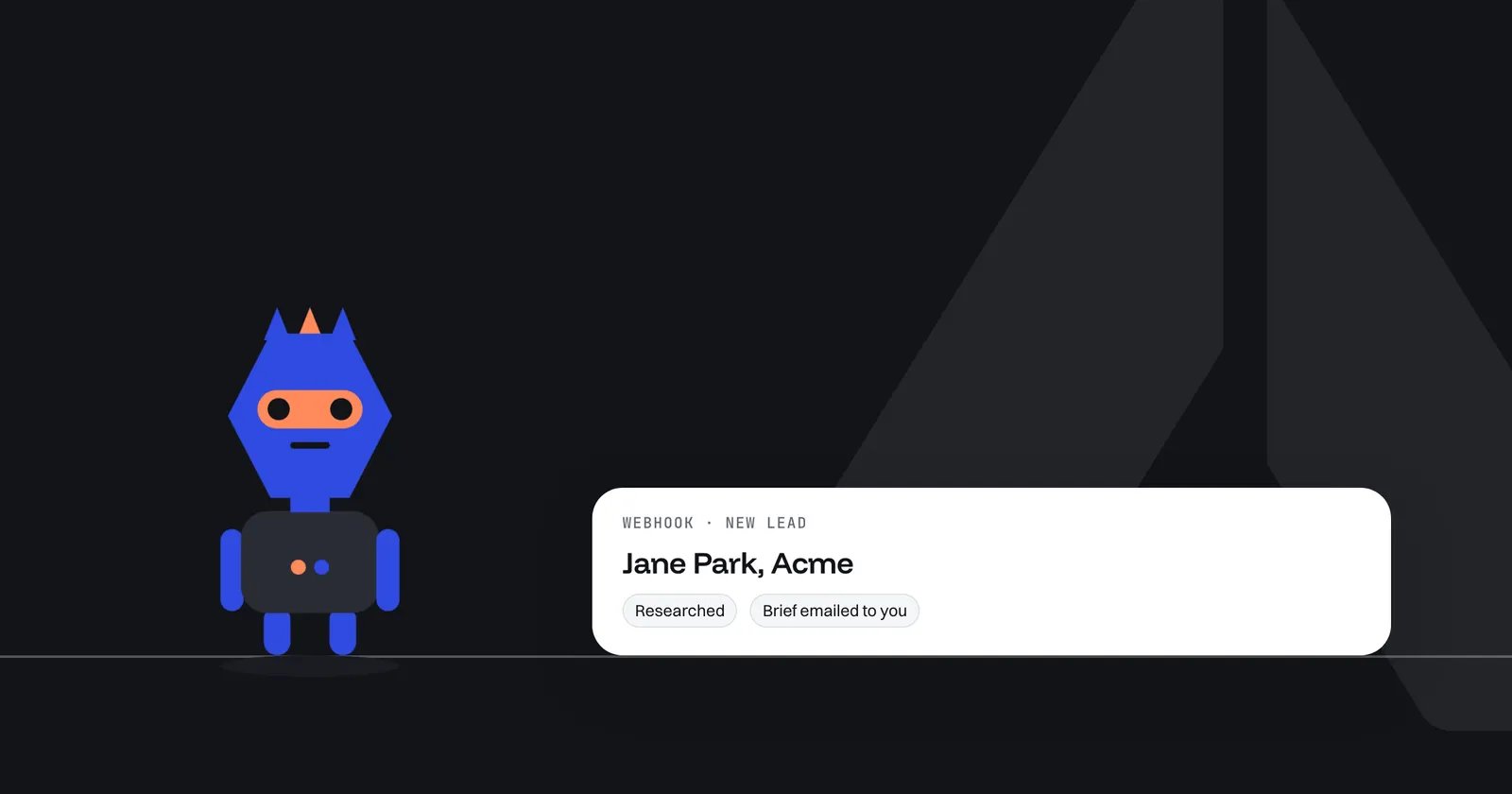
AI lead qualification usually means a chatbot or voice bot that questions the lead. This guide covers the other kind: an agent that starts when your website form sends a new lead, researches the company and its history in your CRM, and emails you a brief with a source for each fact. It never talks to the lead. You build it in Arclyx from one sentence, connect your form with a webhook, and test it on a sample lead before it runs.
Key Takeaways
- Qualify by research, not by interrogation. The agent works behind the scenes and briefs you; the lead only ever hears from a person.
- One sentence builds it. "When our website form sends a new lead, research the company and email me a brief."
- A webhook starts it. Your form sends the lead to a URL with a secret; Arclyx answers at once and runs the agent in the background.
- The brief comes to you. Fit, role, why now and CRM history, each with its source, emailed only to you.
- It never contacts the lead. It sends no outreach, and the only email it can send goes to the person it runs for.
- Guard the secret. Arclyx shows it once and refuses requests without it; if it leaks, replace the webhook.
What is AI lead qualification?
Lead qualification is working out whether a new lead fits what you sell before you spend time on it. HubSpot defines it as "the process of determining whether a lead or prospect is a fit for a product or service" 1. AI lead qualification hands part of that work to software: either a bot that asks the lead questions, or an agent that researches the lead for you.
Most tools sold under the name are the first kind: a chat widget or a voice agent that questions visitors. That has its place, but it puts software between you and the lead at the moment they've asked to talk to you.
This guide is about the second kind. The lead fills in your form as usual. Behind the scenes, an agent looks up the company, checks your CRM and sends you a brief, so the first conversation starts with what you already know.
How do you qualify a lead without a chatbot?
Let the form do the asking and the agent do the research. The form already collects a name, a company and an email. An agent takes those, finds the company's own pages, checks your CRM for history, and compares what it finds with your idea of a good customer. You get a brief; the lead gets a person.
What the research covers is up to you. Common checks, in the spirit of frameworks like BANT, which HubSpot calls "widely used" 1:
| Question | Where the agent looks |
|---|---|
| Does the company fit? | Its own about page: sector, size, location |
| Who is this person? | The company's team page, against the role they gave |
| Why now? | Job postings, launches and news on the company's site |
| Do we know them already? | Your CRM: contacts, deals and notes |
| Budget and timeline | Usually not public, so it says so rather than guessing |
The last row matters. An agent that fills every field will invent the ones it can't find. Tell it to write "not public" or "not found" instead, the way Prospect finder, Arclyx's prospecting agent, marks anything it couldn't confirm as unconfirmed.
How does a new lead start the agent?
With a webhook. Add one to the agent in Arclyx and you get a URL and a secret. Your form, or the tool behind it, sends each new lead to that URL with the secret attached. Arclyx answers at once and the agent runs in the background, so the visitor never waits on the research.
Start with the sentence. This is the example Arclyx gives for a webhook trigger, word for word:
When our website form sends a new lead, research the company and email me a brief.
There's no ready-made lead agent to install; the sentence is the agent. Arclyx asks what the sentence leaves out, then drafts its instructions and picks its tools, such as HubSpot for your CRM and web search to read the company's pages. Our guide to writing AI agent instructions covers what to add, such as what counts as a fit.
Once the agent is created, add the webhook in the Triggers panel on its page.
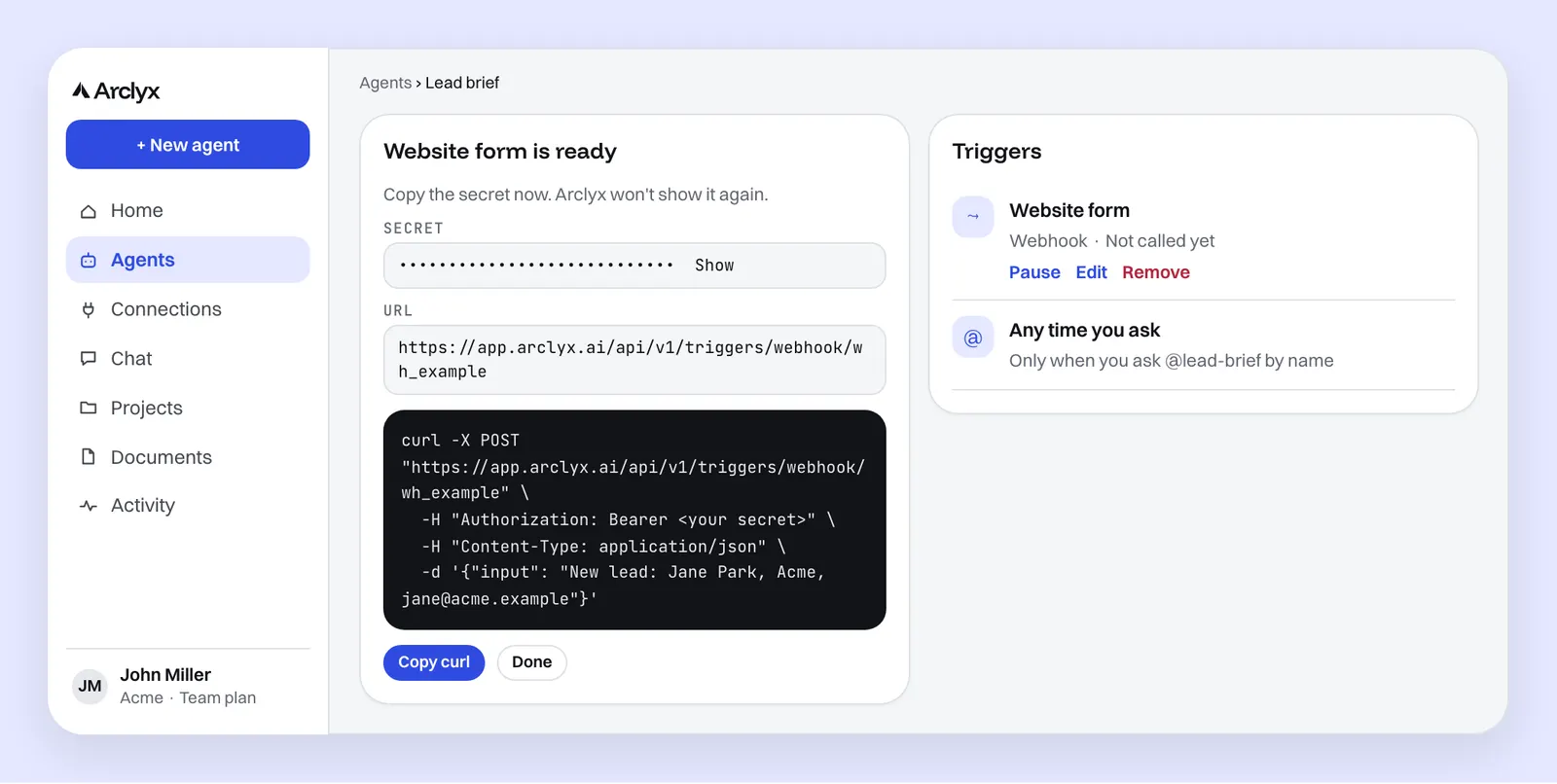
The ready-made example sends one line of text as input. For a form, send the fields as a JSON object instead:
curl -X POST "<your webhook URL>" \
  -H "Authorization: Bearer <your secret>" \
  -H "Content-Type: application/json" \
  -d '{"name": "Jane Park", "company": "Acme", "email": "jane@acme.example", "message": "Our support load doubled this year."}'
The difference matters. A plain input becomes the agent's message, as if you'd typed it, which is fine for a system you control. A JSON object without input reaches the agent fenced off as untrusted data, the subject of the task and never instructions, which is what you want for text a stranger typed. Each webhook URL takes up to 30 requests a minute and 64 KB per request, and how many webhooks you can have depends on your plan. The AI agent automation page covers webhooks alongside schedules and Slack mentions.
What does the agent check about a lead?
What its instructions tell it to, with the tools you granted. A typical run checks your CRM for the company, searches for it on the web, reads its own pages, and compares the result with your profile of a good customer. Each round is recorded, so you can see what it searched and what it read.
Before it runs on real leads, test it. A draft's webhook refuses requests until the agent is created, so use Try it instead: paste a sample lead into the optional message box and run it. Try it is a dry run: it reads with your real tools, and the email it would send is held and shown to you as not sent.
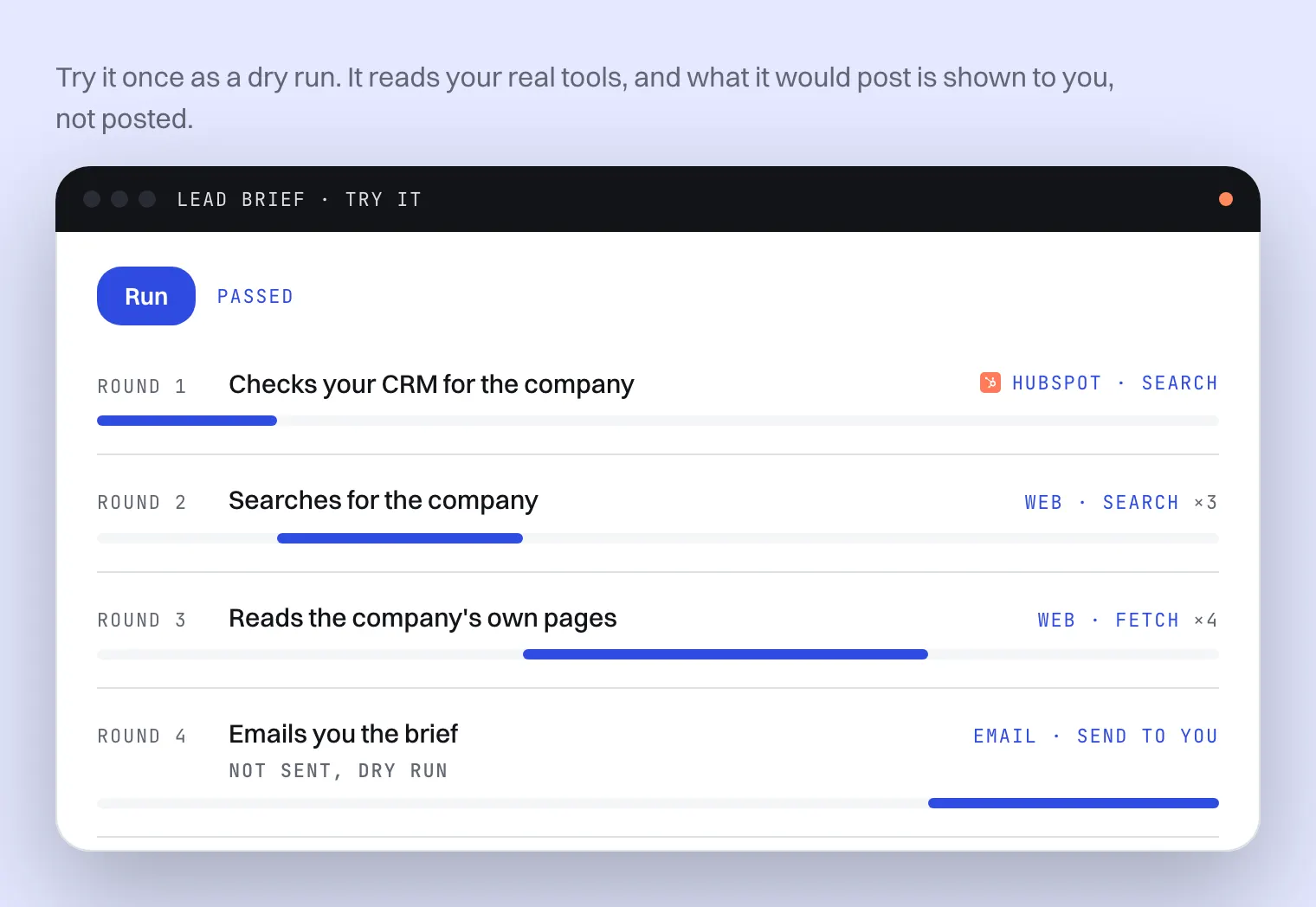
Check three things in the result. Did it search for the right company, not a namesake? Did it say "not found" where it found nothing? And is the brief short enough to read before a call? The test runs page shows what each round records.
It only has the tools you grant it. For CRM history, connect HubSpot; the agent searches it with your own sign-in. Apollo and Clay can add company and people data if you use them. The AI agent integrations page lists every connector.
Where does the brief go?
To you, by email, or to one Slack channel you pick. The email can only go to the person the agent runs for: the agent has no way to choose another address. A Slack post goes only to the channel you chose. Either way, ask for the source of each fact, as in the example below.
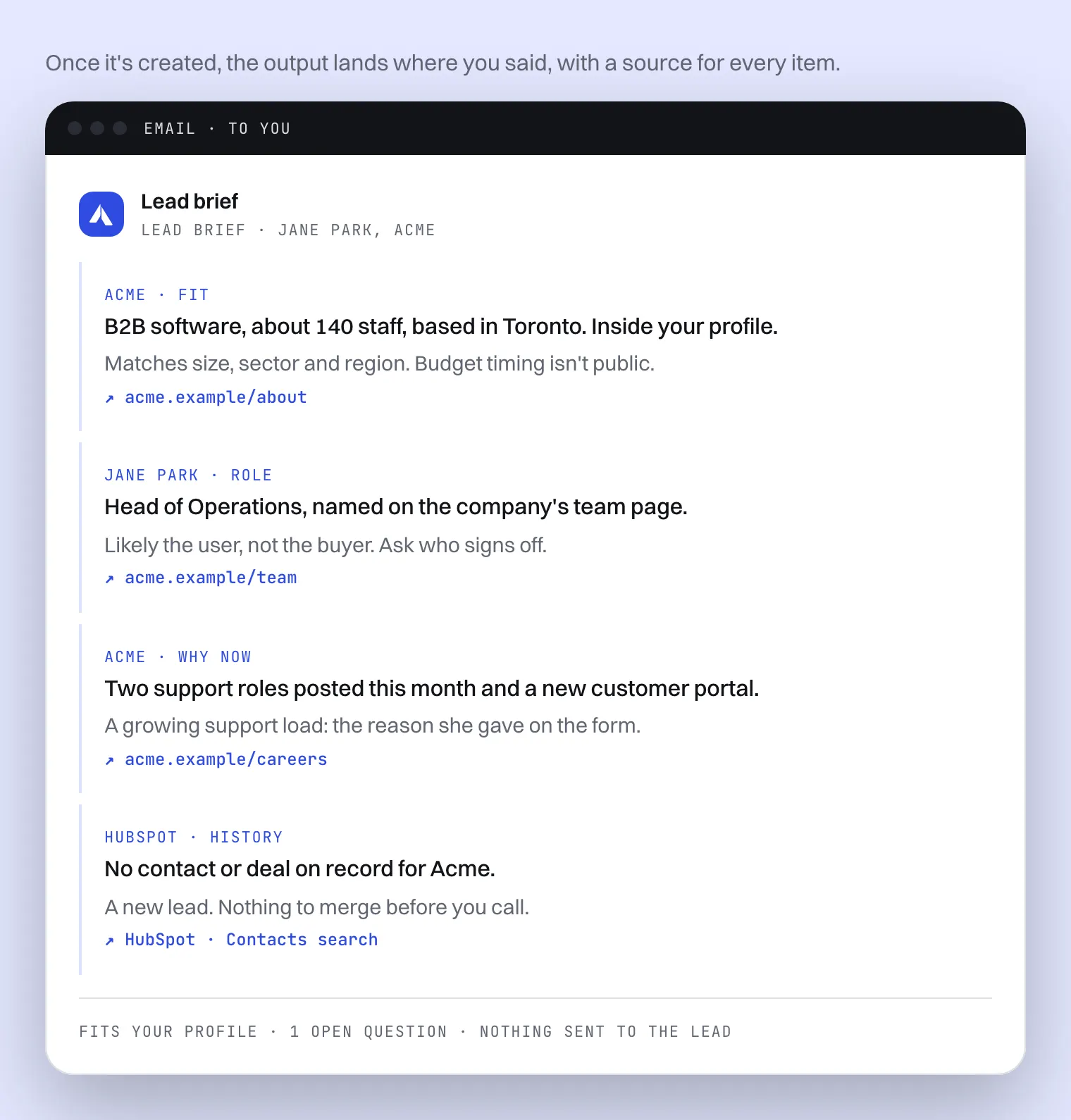
A brief worth reading before a call is short. Ask for one line per question and one line on what it means: "Likely the user, not the buyer. Ask who signs off." Lead research sits next to the other sales jobs agents take on: AI agents for sales teams shows Prospect finder building outbound lists and Meeting brief preparing you for the call itself, with nothing sent to a prospect.
Does it contact the lead or send outreach?
No. It researches and reports; it doesn't email, message or call the lead, and it doesn't add them to a sequence. In Gmail and Outlook, agents write emails as drafts for you to review and send. The email an agent sends from Arclyx goes only to the person it runs for. What you say to the lead, and when, stays with you.
That's the difference from a lead-qualification chatbot, and from outbound tools that write and send emails for you. Our post on AI agent vs chatbot explains why an agent that works in the background is a different tool from one that talks to people.
How do you keep the webhook secure?
Treat the secret like a password. Arclyx shows it once, when you add the webhook, and refuses any request that doesn't carry it. Keep it in your form tool's secret settings, never in a web page's code or a shared document. If it leaks, delete the webhook and add a new one: new URL, new secret.
- Shown once. Copy it when you add the webhook; it isn't shown again.
- Refused without it. Requests without the right secret don't start the agent.
- Rate-limited. Each URL takes up to 30 requests a minute.
- Paused in one place. Every schedule and webhook can be paused from one list.
A form is also a way in for strangers' text, which is why the form's fields should go as a JSON object: Arclyx then tells the agent they're data, never instructions. The limits that matter hold whatever a visitor types: the agent can only use the tools you granted, and it can only email you. The AI agent guardrails page lists them all.
Sources
- HubSpot — Kiran Shahid, Lead qualification: Gauging whether a lead aligns with your offering (updated 24 June 2026, checked 23 October 2026). https://blog.hubspot.com/sales/ultimate-guide-to-sales-qualification